
For information technology (IT) directors, facility managers, and store development teams, the decision goes beyond choosing a lock or card reader. It is about controlling access, understanding activity, responding to problems, and managing the system across its lifetime.
This guide compares the options through one office example—and explains how the same decisions apply to stores and other chain locations.
What access control actually does
A mechanical lock checks whether a key fits. Electronic access control can also check whose credential is being used, which door they are approaching, and when they are allowed to enter.
That gives the business several useful capabilities.
Limit employees to appropriate areas. General staff can enter shared spaces, facilities staff can enter storage, and only designated IT personnel can enter the data room.
Apply schedules. Cleaners can receive evening access. Contractors can receive permissions for an agreed visit rather than permanent access.
Change permissions remotely. An authorized administrator can issue or revoke credentials and adjust access without traveling to the building, provided the changes can reach the relevant equipment.
Review door activity. Searchable records can show which credential was accepted or rejected at a particular door and time.
Respond to exceptions. Suitable sensors and configured alerts can identify a door left open, an offline controller, or a wireless lock needing batteries.
The distinction between a credential and a person matters. An access record identifies the credential used; it does not prove who carried it or whether someone followed them through the door. An entry reader also does not automatically provide a named exit record.
One office, 12 doors
Consider a 60-person office with the following layout:
| Door or area | Intended access |
|---|---|
| Main entrance | Employees use individual credentials; visitors follow a reception process |
| Rear exit | Free exit from inside, no routine outside entry, and monitoring for a door left open |
| Two meeting rooms | Staff access during normal hours, with restrictions after hours if needed |
| Storage room | Facilities and designated employees |
| Data room | Authorized IT staff and approved service personnel |
| Six executive offices | Each executive accesses their own office; authorized cleaners and facilities staff receive appropriate permissions |
For comparison, assume 11 doors with controlled entry and one monitored rear exit.
Not every office needs electronic control on every room. Leaving meeting rooms freely accessible could reduce cost. Room booking and access control are also separate functions unless an integration connects them.
Exit monitoring must preserve safe egress. For workplaces in the United States, the Occupational Safety and Health Administration (OSHA) generally requires exit-route doors to open from inside without keys, tools, or special knowledge. The selected hardware must meet the applicable building requirements.
1. Master-keyed locks: simple operation, limited visibility
A properly designed master-key system can give people different physical access.
Each executive might receive a key for the entrance and their office. IT staff receive data-room keys. Facilities holds an appropriately controlled master or submaster key.
Controlled keys help prevent unauthorized copying
Restricted, patent-protected key systems can control access to blanks and require authorization before additional keys are supplied.
That provides stronger key control than ordinary unrestricted keys. However, describing any key as impossible to copy is too absolute: protection depends on the system, current patent protection, and supplier controls.
Source: Schlage key-system guidance (opens in a new tab)
What happens when the cleaner loses a key?
The cleaning company changes, and the outgoing cleaner says the building key is lost.
Even if it is a restricted key, the original missing key still works. The IT director cannot cancel it remotely. Restoring security requires changing the affected cylinders or cores and issuing replacement keys.
The scope matters: losing one office key is different from losing a master key.
What the IT director can—and cannot—see
A key register records who received a key. The mechanical lock itself does not record who used it, which door they entered, or when.
There are also no built-in schedules or remote-opening commands. If a cleaner’s key opens an executive office, it generally works whenever they possess it.
Advantages: straightforward operation, no lock batteries, and no network dependency for ordinary unlocking.
Tradeoffs: physical key administration, potential rekeying, no native entry audit trail, and no remote revocation.
What you pay for: locks, cylinders, key-system design, key issuance, servicing, and future rekeying.
2. Connected battery-powered locks: Salto and alternatives
Connected electronic locks combine locking hardware and credential-reading electronics at the door.
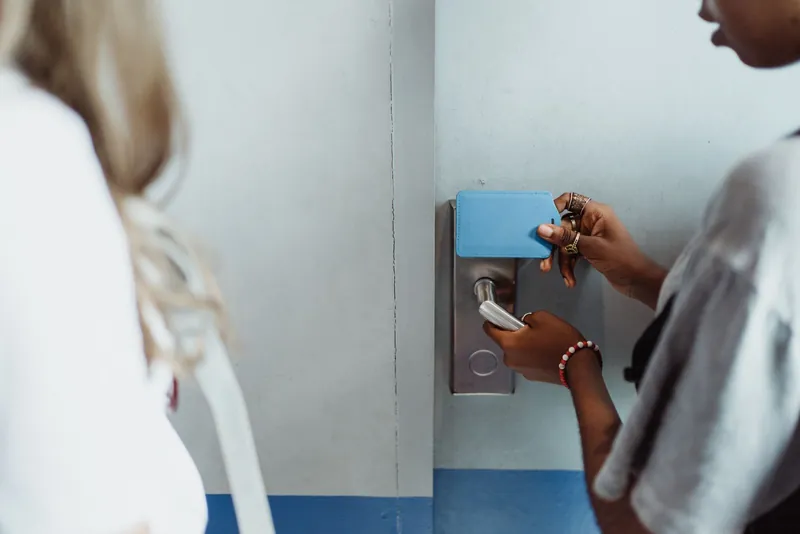
In a Salto KS installation, suitable battery-powered locks communicate wirelessly with IQ gateways, which connect them to the cloud. The locks do not each need a direct internet connection.
Source: Salto hardware architecture (opens in a new tab)
For our office, compatible wireless locks could serve the executive offices, storage room, and other interior doors. The entrance and rear exit need hardware selected for their particular openings.
What the IT director gets
An executive can use one credential for the main entrance, meeting rooms, and their own office. IT staff receive data-room permission. Cleaners receive access to agreed rooms during approved periods.
If an executive moves offices, the administrator changes permissions rather than arranging replacement keys.
Maintenance becomes more visible
Suppose Executive Office 4 reports a low battery. A configured notification reaches facilities, which schedules replacement before the lock stops working.
Salto KS documents email and mobile push notifications for supported incidents. Low-battery alerts apply to battery-powered locks. Door-left-open and intrusion detection require compatible sensors that must be specified; they are not included in every lock. Notifications must also be configured.
Source: Salto incident notifications (opens in a new tab)
Someone still needs to service the door. The benefit is earlier information.
Example office: door status
Illustration · fictional data- Main EntranceOnline
- Rear ExitClosed
- Data RoomClosed
- Executive Office 4Low battery
Example event
Contractor credential — access granted — Data Room — 10:02 a.m.
Alternatives and connection choices
Schlage NDE and ASSA ABLOY Aperio are alternatives, particularly when extending a compatible access platform.
Connection mode matters. Schlage documents options including daily Wi-Fi updates and gateway-based real-time communication. These provide different results when an administrator urgently needs to change access. Aperio integrates wireless locking devices into compatible access systems.
Sources: Schlage NDE specifications (opens in a new tab), ASSA ABLOY Aperio (opens in a new tab)
Advantages: less wiring at suitable doors, centralized permissions, and useful retrofit options.
Tradeoffs: battery servicing, wireless coverage, gateways, and configuration-dependent offline behavior.
What you pay for: electronic locks, gateways, installation, credentials, software, and maintenance. Salto KS uses subscriptions with different plans and add-ons.
3. Akuvox: affordable Internet Protocol (IP) access terminals
An Akuvox configuration could use A08 mullion terminals or other suitable models connected to electric locking hardware.
“Mullion” describes a slim mounting format for narrow spaces beside doors. It does not define the capabilities of the management system.
The A08 combines reader and controller functions, with credential options depending on the version.
Source: Akuvox A08 overview (opens in a new tab)
What the IT director gets
With the appropriate commercial SmartPlus configuration, administrators can manage personnel and groups and review records and notifications remotely.
For example, a technician could receive supported credentials and permissions for the entrance and data room without receiving executive-office access. The installer should demonstrate the required scheduling and expiration workflow.
Akuvox also supports door-status display for specified hardware and firmware when the necessary inputs are configured.
Sources: Akuvox administrator guide (opens in a new tab), Door-status configuration (opens in a new tab)
Maintenance changes from batteries to infrastructure
A wired-terminal configuration avoids routine battery replacement at the terminals. It depends instead on network equipment, power supplies, electric locks, and any backup batteries.
An offline-device alert can prompt investigation, but it does not automatically identify whether the cause is a failed switch, disconnected cable, or power problem.
Advantages: affordable terminals, combined functions, and supported remote administration.
Tradeoffs: wiring to the doors, distributed network endpoints, and the need to verify that the selected management package supports the required workflows.
What you pay for: terminals, locking hardware, cabling, power, installation, and selected services. Akuvox’s commercial documentation identifies recurring charges for additional doors and certain accounts and features.
4. Brivo: centralized administration and integrations
A Brivo design could combine wired perimeter doors with compatible wireless interior locks.
Enterprise management and wireless locks are not competing categories: a deployment can use both.
What the IT director gets
Brivo can centralize access permissions and events while connecting to supported identity, video, and other systems.
For our office, administrators could organize access by role and restrict who can change permissions. Where included and configured, an identity integration can connect employee-account changes to access-management workflows.
Features, allowances, and integrations depend on the software edition and add-ons.
Source: Brivo edition comparison (opens in a new tab)
A practical incident
A contractor finishes work but leaves the data-room door open.
With door monitoring and alerts configured, the appropriate operator receives a notification. A supported video integration can provide context: equipment being moved, a propped door, or a closer that failed to latch.
Brivo describes workflows linking door exceptions to related video.
Source: Brivo event workflows (opens in a new tab)
Maintenance depends on the hardware selected. Wireless doors still need battery servicing; wired openings need power and hardware checks. Ask the supplier to demonstrate the health information available for each proposed device.
Advantages: centralized administration, supported integrations, and flexibility across door types.
Tradeoffs: integration planning, software choices, subscription costs, and controller infrastructure.
What you pay for: hardware, installation, subscriptions, and the selected integrations and capabilities. Brivo directs buyers to resellers for subscription pricing.
5. Verkada: coordinated access and video workflows
A Verkada design can bring access control and supported camera views into Command.
What the IT director gets
Consider the rear exit being propped open at 8:40 p.m.
With a door-position sensor and configured alert, the responsible manager receives a notification, checks the associated camera, and contacts the cleaner or facilities team.

Verkada documents alerts for held-open doors, offline controllers, and low batteries on supported wireless locks. Notification methods include push, Short Message Service (SMS) text messages, and email.
Source: Verkada access alerts (opens in a new tab)
Existing third-party cameras may be usable through Command Connector, subject to compatibility and additional equipment and licensing.
Source: Third-party camera requirements (opens in a new tab)
Advantages: coordinated access, video, and response workflows.
Tradeoffs: recurring licensing, network requirements, and the cost of the selected ecosystem.
What you pay for: controllers, readers, door hardware, installation, door licenses, and separately scoped cameras and services.
Mobile credentials: your phone can replace your card
Compatible systems allow employees to use a smartphone instead of carrying a separate card or fob.
Near Field Communication (NFC) supports presenting a compatible phone or watch to the reader or lock. Bluetooth supports mobile credentials through compatible hardware and applications.
NFC replaces the physical card, but still requires reading hardware. In an electronic lock, that hardware can be built in, avoiding a separate wall-mounted reader.
| System | Mobile options to verify |
|---|---|
| Salto KS | Bluetooth Digital Keys; current support documentation describes Android NFC as beta for compatible configurations |
| Akuvox | Bluetooth, NFC, and Apple Wallet in supported deployments |
| Brivo | Mobile Pass and supported wallet credentials, using compatible readers |
| Verkada | Pass app and supported mobile NFC credentials |
Sources: Salto NFC support (opens in a new tab), Akuvox mobile access (opens in a new tab), Brivo readers (opens in a new tab), Verkada credentials (opens in a new tab)
Mobile credentials reduce physical card distribution, but introduce phone compatibility, enrollment, and potentially credential charges. Provide an alternative for employees who cannot use a personal phone.
Remote opening: help someone without traveling
An approved technician arrives while the IT director is elsewhere.
With suitable permissions and a connected configuration, the director can verify the technician’s identity and remotely release the entrance, then the data-room door.
Salto KS, Akuvox SmartPlus, Brivo, and Verkada offer remote-opening functions in supported configurations. The command must be able to reach the relevant equipment.
Sources: Salto access methods (opens in a new tab), Akuvox remote access (opens in a new tab), Brivo remote control (opens in a new tab), Verkada access options (opens in a new tab)
An intercom or camera helps establish who is waiting. The remote command itself does not identify the visitor.
For repeat visits, an individual, time-limited credential usually provides better accountability than repeated remote opening.
Networking: what needs to be installed?
Cloud management still needs equipment in the building.
Salto KS: connect gateways, with wireless links to locks
Suitable battery-powered locks communicate through IQ gateways. Gateway options include supported Ethernet, Wi-Fi, and cellular configurations.
This reduces cabling at interior doors, but requires gateway power, reliable coverage, and battery servicing.
Source: Salto gateway options (opens in a new tab)
Akuvox: network connections at IP terminals
An A08-style configuration commonly uses Ethernet and Power over Ethernet at each terminal.
Eleven terminals could require eleven network connections, sufficient switch capacity, and suitable cable routes. Lock power must be checked separately; a terminal cannot be assumed to power any chosen locking device.
The advantage is distributed equipment with combined functions. The tradeoff is more network endpoints at doors to secure and maintain.
Source: Akuvox security guidance (opens in a new tab)
Brivo and Verkada: networked controllers serving doors
A conventional wired design connects controllers to the network, with readers, contacts, exit devices, and locks wired to those controllers.
Eleven doors do not necessarily require eleven Ethernet connections for readers. Multi-door controllers consolidate connections. Cameras, intercoms, and gateways may require additional ports.
The tradeoff is space for secured controller enclosures, power supplies, backup batteries, and cabling. Shared equipment failures can affect multiple openings.
Sources: Brivo networking guide (opens in a new tab), Verkada network requirements (opens in a new tab)
Does the office need a dedicated subnet and rack?
A dedicated security virtual local area network (VLAN) or subnet with enforced firewall rules is a sensible design approach. It is not a universal product requirement, and a subnet alone does not provide isolation.
An existing secured IT rack, small cabinet, and wall-mounted controller enclosures may be sufficient. A new full-size rack is not automatically necessary.
IT and the installer should agree on network ports, permitted cloud communication, power capacity, backup runtime, equipment space, and responsibility for updates and faults.
What happens during an outage?
Internet loss and power loss are different problems.
Brivo states that its panels retain credentials and rules locally. Verkada controllers continue using their last known configuration and upload stored events after reconnection. Salto KS supports configured offline access at locks. Akuvox behavior should be demonstrated for the selected hardware and deployment.
Sources: Brivo local operation (opens in a new tab), Verkada offline operation (opens in a new tab), Salto offline access (opens in a new tab)
A disconnected device may continue accepting previously authorized credentials while being unable to receive a new revocation. Remote opening and live notifications can also be interrupted.
Backup power must cover the relevant equipment, including locks, controllers, switches, and gateways where applicable.
Compare the complete cost
A cheap reader does not necessarily create a cheap installed door. Existing locks, glass storefronts, panic hardware, cable routes, and power requirements can substantially change installation costs.
Two published examples illustrate the need to separate components:
- An Akuvox A08S reseller listing is $292.98. Eleven terminals total $3,222.78, before locks, wiring, power, installation, monitoring, and services.
- Verkada lists a $999 five-year door license. Eleven licenses total $10,989, before controllers, readers, locking hardware, installation, cameras, and other requirements.
These figures cover different items and are not competing system quotes.
Sources: Akuvox listing (opens in a new tab), Verkada pricing catalog (opens in a new tab)
Compare proposals using:
Five-year cost = installed equipment + software and renewals + credentials + maintenance + support + administrative work.
Include rekeying for mechanical systems, battery-service labor for wireless locks, network and power maintenance for wired systems, and all integration charges.
For subscriptions, identify the billing unit, included features, renewal terms, and what happens when service expires.
Which approach fits the office?
| Approach | Main benefit | Main tradeoff |
|---|---|---|
| Restricted master-key system | Simple physical operation and controlled key issuance | No native audit or remote revocation; lost keys can require hardware changes |
| Connected wireless locks | Central permissions with less wiring at suitable doors | Batteries, coverage, gateways, and update behavior |
| Akuvox IP terminals | Affordable access hardware and supported remote management | Door networking, power, and management-package scope |
| Brivo | Central administration and supported integrations | Infrastructure, subscriptions, and integration planning |
| Verkada | Coordinated access, video, and alert workflows | Licensing, network requirements, and ecosystem costs |
The same decisions apply to stores
Replace the data room with a cash office, executive offices with restricted stockrooms, and the rear exit with a delivery door.
A cashier may need staff-entry access without cash-office permission. A district manager may need access across several stores. A contractor may need a limited visit window. Headquarters may need to revoke a departing employee’s credential across the chain.
Before selecting a standard, pilot a representative location. Demonstrate employee offboarding, temporary access, remote opening, a held-open door, a maintenance alert, and an outage.
The right system gives the business the required security and visibility while remaining practical to operate year after year.
Planning an office fit-out or upgrading a chain? Contact EntryPoint Security to compare door designs, management requirements, and five-year costs before selecting a system.
Product information and published prices checked October 15, 2026. Final capabilities and costs depend on the specified hardware, software, and installation.
Sources
- OSHA: Emergency exit routes fact sheet (PDF) (opens in a new tab)
- Schlage: key systems (opens in a new tab)
- Salto KS: manage hardware (opens in a new tab)
- Salto KS: incidents and notifications (opens in a new tab)
- Schlage: NDE Series wireless lock data sheet (PDF) (opens in a new tab)
- ASSA ABLOY: Aperio wireless locks (opens in a new tab)
- Salto KS: subscriptions and vouchers (opens in a new tab)
- Akuvox: A08 product overview (opens in a new tab)
- Akuvox: SmartPlus app administrator guide (opens in a new tab)
- Akuvox: display door status on SmartPlus Cloud (opens in a new tab)
- Akuvox: service charges for distributors (opens in a new tab)
- Brivo: Access editions comparison (opens in a new tab)
- Brivo: sensors and event workflows (opens in a new tab)
- Brivo: Security Suite editions (opens in a new tab)
- Verkada: configure access control event alerts (opens in a new tab)
- Verkada: add a non-Verkada camera to Command Connector (opens in a new tab)
- Salto KS: NFC in the KS Keychain app (opens in a new tab)
- Akuvox: SmartPlus app user guide, office (opens in a new tab)
- Brivo: access control readers (opens in a new tab)
- Verkada: access credentials (opens in a new tab)
- Salto KS: general information and access methods (opens in a new tab)
- Salto KS: products and gateways (opens in a new tab)
- Akuvox: security configuration guide V1.1 (PDF) (opens in a new tab)
- Brivo: panel networking guide (opens in a new tab)
- Verkada: access control network settings (opens in a new tab)
- Brivo: access control (opens in a new tab)
- Verkada: Access offline operation (opens in a new tab)
- Salto KS: offline access (opens in a new tab)
- eHub America: Akuvox A08S listing (opens in a new tab)
- Verkada: pricing overview (PDF) (opens in a new tab)
This article is provided for general educational purposes and does not constitute legal advice, professional engineering advice, or an official determination of code compliance. Requirements vary based on building occupancy, construction history, approved use, and individual door configurations. Building owners should consult qualified professionals and applicable authorities before undertaking regulated work.