Start with how the parking is used
Before choosing equipment, describe who arrives, who approves them and what happens when something goes wrong.
| Property or operating model | Main challenges | What to prioritize |
|---|---|---|
| Commercial office garage | Morning queues, employee turnover, contractors and visitor parking | Fast access for regular users, work schedules, visitor approval and prompt cancellation of former employees’ access |
| Residential garage | Resident turnover, guests, deliveries, lost remotes and replacement vehicles | Simple resident administration, temporary guest access, quiet operation and after-hours assistance |
| Private staff, fleet or reserved parking | Keeping spaces available for approved users; restricting particular areas or hours | Individually assigned access, vehicle records and a clear process for vendors and temporary vehicles |
| Public paid parking | First-time drivers, payments, validations, full capacity and disputed charges | Clear signs, easy payment, reliable entry/exit records and immediate customer assistance |
| Gated community | Regular residents mixed with visitors, tradespeople and emergency vehicles | Separate resident and visitor procedures, time-limited access and an approved emergency-access arrangement |
| Staffed entrance | Consistent identity checks, shift coverage and recurring labor costs | Tools that support the attendant, documented approval rules and records of manual openings |
| Unstaffed entrance | Failed credentials, unreadable plates, dead phones and no one at the booth | A working help point, a staffed response service, outage procedures and remote diagnostics |
These categories overlap. An apartment complex may have an unstaffed resident garage and a staffed visitor gate. A commercial garage may serve employees during the day and paying visitors at night.
Unstaffed does not mean unsupported. Someone still needs to answer calls, approve exceptions and arrange repairs.
The gate and the access system are separate purchases
Think of the entrance as three cooperating parts:
- The gate and motor physically open and close the entrance.
- The access system decides whether to grant an opening request.
- The detection and safety equipment helps manage vehicles and protect the opening.
A phone controller does not replace a worn motor. A plate-reading camera does not replace the required protection against a closing gate. Compatibility must be checked for the exact equipment and installation.
Simplified diagram. Step 1: the driver presents permission, such as a tag, remote, phone or plate. Step 2: the access system checks that permission. Step 3: the gate operator opens the gate. Separately, vehicle detection and safety equipment connect to the gate operator to manage vehicles and protect the opening.
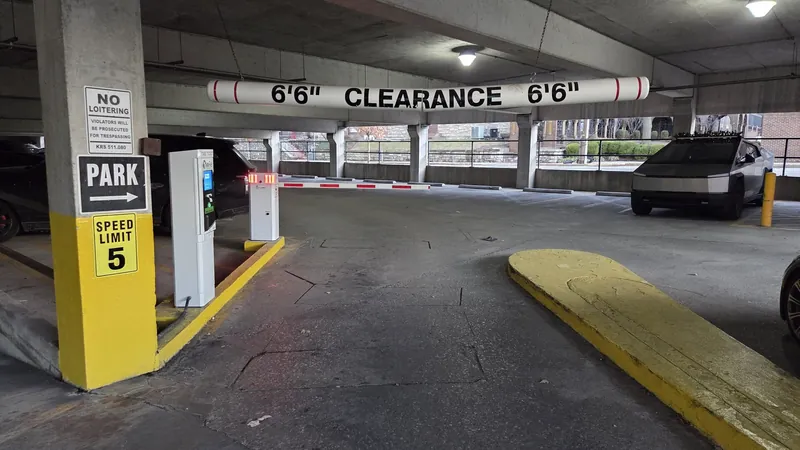
Lift-arm barriers: controlling vehicle flow
A lift-arm barrier raises a lightweight arm across a lane. It is often a practical fit for public parking and busy employee entrances.
Its advantage is traffic handling. Parking-rated models are available for frequent operation, including articulated arms that bend beneath low ceilings. Nice HySecurity’s StrongArmPark is one example of a parking barrier with continuous-duty operation and an articulating-arm option (StrongArmPark manufacturer specifications (opens in a new tab)).
Its limitation is the physical barrier itself: an ordinary arm is not a full-height enclosure, a pedestrian security boundary or a crash-rated vehicle barrier. Arm strikes and replacement parts belong in the operating budget.
Garage doors and rolling security grilles: closing the opening
A sectional garage door or rolling grille can close the vehicle opening more completely. A grille leaves openings for visibility and airflow; a solid door provides a different enclosure and must be coordinated with the building’s ventilation design.
These systems suit enclosed residential and commercial garages, but the door, springs, tracks and motor must match the workload. Cornell specifically offers high-cycle grille construction for parking applications (Cornell high-cycle grilles (opens in a new tab)).
Ask about peak-hour operation, not just gate size. A door opening once per vehicle during a rush faces a different workload from one opened a few times each day.
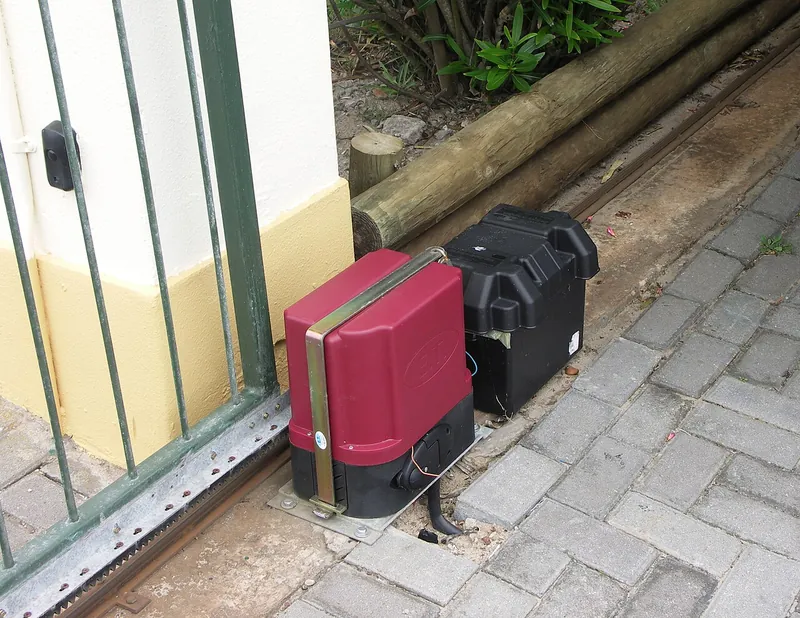
Sliding gates: a fuller perimeter barrier
A sliding gate moves sideways along the fence line. It can suit private lots, communities and service yards where a full gate is wanted without a swing into the driveway.
It needs adequate side space. Depending on construction, maintenance includes tracks or support rollers, guides and the drive mechanism. The closing edge and the area where the gate slides past fencing need appropriate protection (DoorKing gate-construction guidance (opens in a new tab)).
Swing gates: room to open safely
Swing gates open on hinges, like large doors. They can suit community entrances and private properties where appearance and perimeter closure matter.
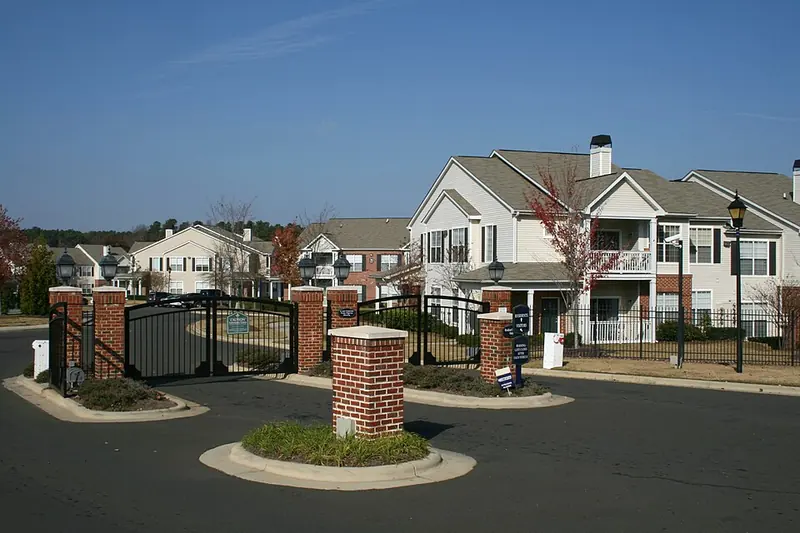
They need a clear opening arc. Waiting vehicles, slopes, wind exposure, hinge condition and gate weight all affect the design. A double gate also introduces a second moving leaf to coordinate and maintain.
For the general contractor: Confirm foundations, conduit, drainage, electrical supply, gate clearances and equipment locations before paving and finishing the entrance. Changing these later can cost more than changing the reader.
How should drivers get in?
Most useful designs combine a normal entry method with a separate visitor and backup procedure.
Radar and pavement loops: detecting a car, not identifying it
Radar can detect a vehicle approaching or waiting at the gate. A pavement loop is a wire installed in or beneath the driving surface that detects a vehicle above it.
These devices are useful for an automatic exit, vehicle presence and lane sequencing. Above-ground radar can avoid cutting an existing driveway; OPTEX’s OVS-02GT is one example (OPTEX vehicle detector (opens in a new tab)).
The trade-off: Detection alone does not tell you whether the driver belongs there. Opening an entrance for every detected car is automatic opening, not selective access control.
Radar needs power, mounting, connection to the gate system and adjustment of its detection area. Loops need suitable placement, detector electronics and pavement work. Both need testing with the vehicles that actually use the property. A vehicle detector must not be assumed to replace required pedestrian or entrapment protection.
Handheld remotes: convenient, but management matters
A driver presses a button on a small transmitter. A compatible receiver sends an opening request to the gate.
Basic local radio operation can work without an internet connection. For a small, stable group of users, this can keep equipment and ongoing connectivity costs down.
The difference between systems becomes apparent when a remote is lost or someone moves out. Can management cancel that specific device? Is there a record of which credential—the remote, card or other access identifier—requested an opening? Or do many remotes share the same code?
The trade-off: A low hardware price can create recurring work issuing devices, replacing batteries and recovering or cancelling access. Choose the receiver and credential-management features, not just the remote’s appearance. An opening record identifies a credential, not necessarily the person driving.
Cards and windshield tags: regular users without an app
Radio-frequency identification (RFID) uses a reader to detect a compatible card or tag. A card is usually presented near a reader; a long-range windshield tag can be read as the vehicle approaches.
This is useful for regular employees, residents and fleets. Passive vehicle tags have no battery. TransCore and Nedap offer vehicle-identification products for these applications (TransCore parking access (opens in a new tab), Nedap windshield tags (opens in a new tab)).
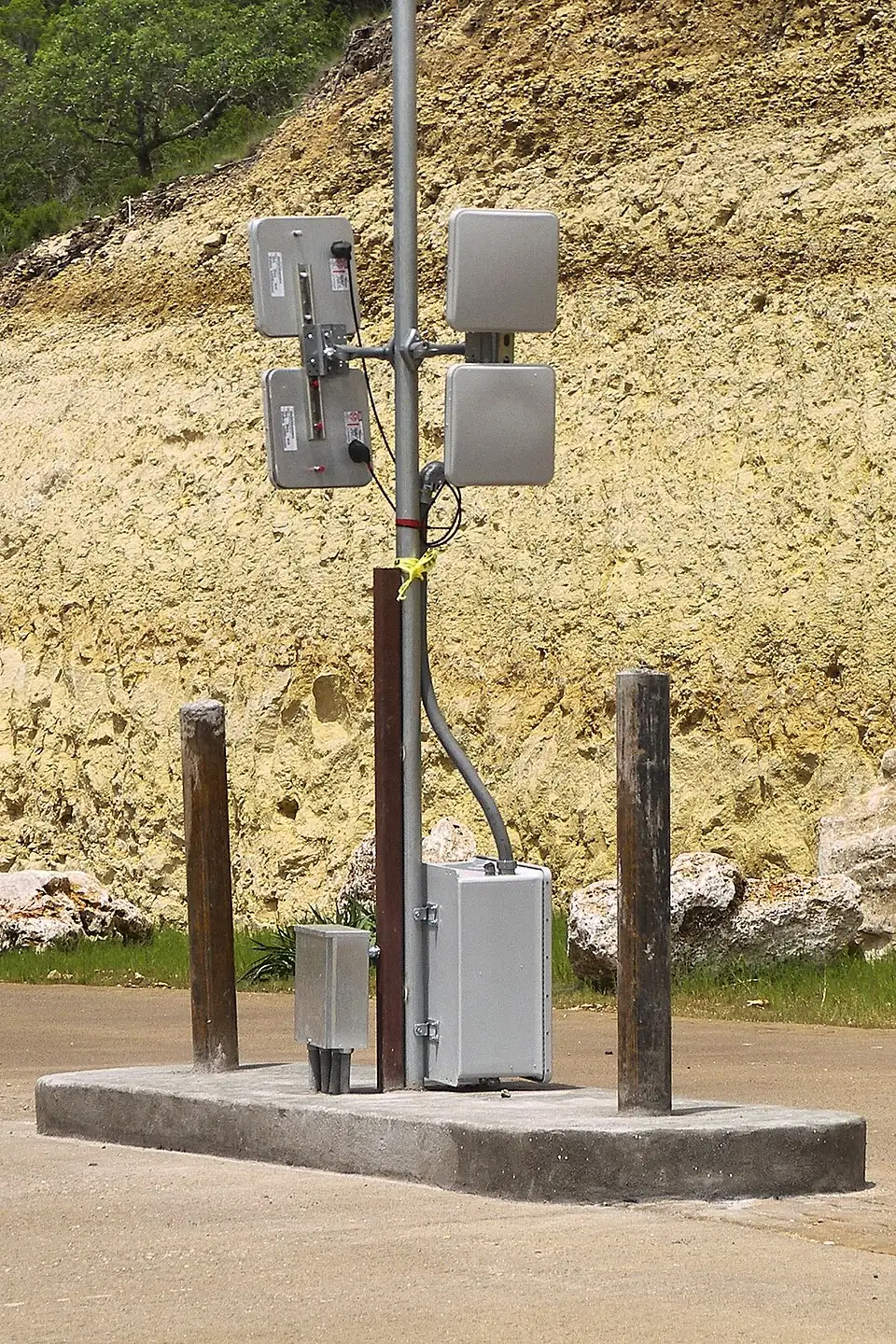
A complete installation needs compatible tags, a reader, power, a controller or integrated decision-making device, and a connection to the gate operator. Tag placement and reader positioning matter; some metalized windshields need special attention or a different tag location (Nedap installation guidance (opens in a new tab)).
The trade-off: Daily use can be simple, but someone must issue tags, replace them when vehicles or windshields change, and cancel old access. Visitors need another method. Security depends on the credential technology and the way it is installed—not the letters RFID alone.
Ask the installer to demonstrate that a tag in the adjacent lane cannot open the wrong gate.
Mobile phones: less hardware to distribute, more connectivity to plan
Phone access is not one technology.
Nearby Bluetooth access lets an authorized phone communicate directly with a compatible controller. Some products support local opening without internet at that moment. PAL’s WiBee is one documented example. Initial setup, permissions and management still have their own requirements (PAL WiBee (opens in a new tab)).
Remote app or cellular access sends an opening request through a network. Depending on the product, the gate uses wired internet, Wi-Fi or cellular service. The phone also needs the connectivity required for that operating mode.
PAL offers several controller families, remotes, readers and the PalGate app; the exact model determines the features. “No wired internet” does not mean no power, no wiring to the gate or no recurring fees (PAL products (opens in a new tab)).
Test coverage at the actual stopping point, especially underground. A strong phone signal outside the property does not prove the controller or driver’s phone will connect inside the garage.
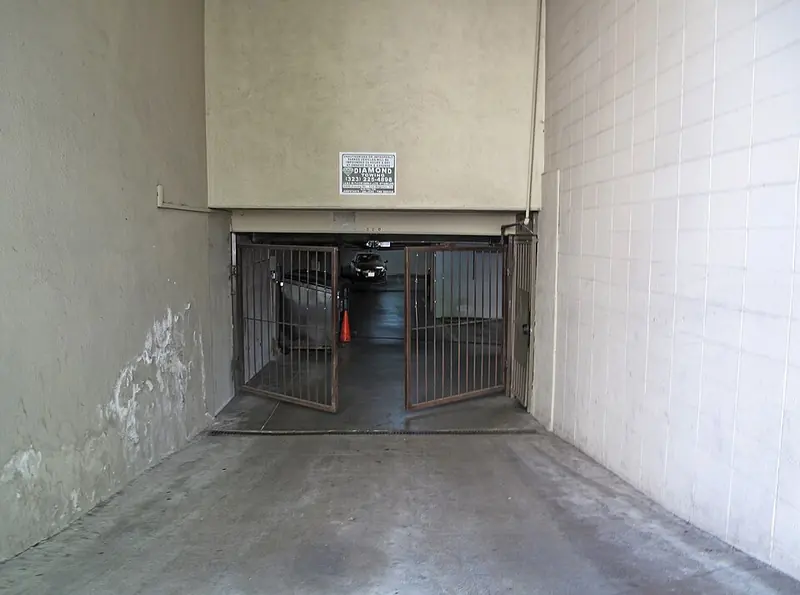
The trade-off: Management can grant and revoke access without collecting physical devices, but users may need help with invitations, replacement phones and app permissions. Confirm guest-access terms, user-license costs and a backup for a dead or unsupported phone.
Do not assume a free app means a free service. DoorKing, for example, documents monthly service charges for its cellular connection option (DoorKing cellular connection (opens in a new tab)).
License plate recognition: convenient when the lane is designed for it
License plate recognition (LPR) uses a camera and software to read the plate and compare it with an approved list or parking record.
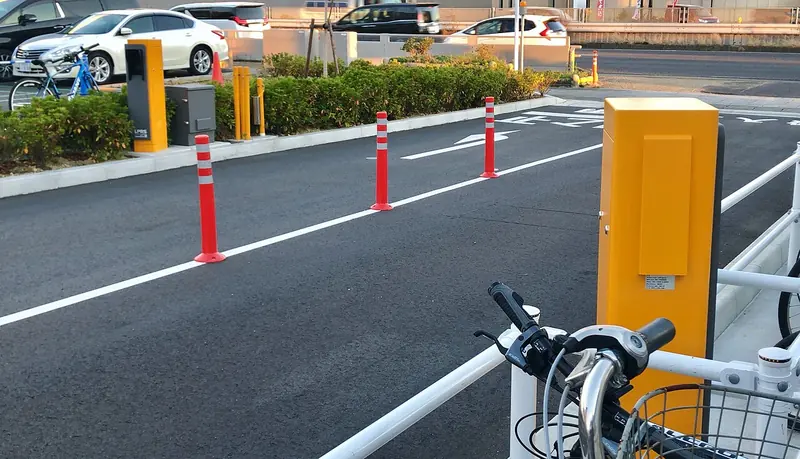
There is no remote to find or tag to distribute. The harder part is delivering consistent reads at your entrance. The installation needs the right camera view, lighting, mounting, power, software and gate connection. Sun glare, dirty or obscured plates and vehicle positioning need to be considered. Ordinary surveillance footage is not automatically suitable for dependable plate-based opening.
Axis documents systems that keep an approved list in the camera and other configurations connected to an access controller. A constant cloud connection is therefore not a universal requirement (Axis setup and operating requirements (opens in a new tab)).
The trade-off: Fewer credentials to hand out, but more responsibility for plate records, camera upkeep, privacy and unreadable-plate exceptions. A plate read does not establish who is driving. For a more sensitive site, consider a second credential or human approval.
A visible plate number is not a secret security credential. Ask about copied credentials, protected reader-to-controller communications and how access is cancelled (Nedap vehicle-access security guidance (opens in a new tab)).
Intercoms and attendants: handling the exceptions
An intercom lets a driver speak to a resident, reception desk, guard or remote answering service. Video can add context, but the person answering still needs a clear approval policy.
This is valuable for visitors, deliveries, contractors and failed credentials. It needs reachable staff or residents, suitable connectivity, clear audio and controls positioned for the vehicles using the lane.
The trade-off: It accommodates unusual situations but introduces response time and labor. A visitor lane should not become a queue behind one unanswered call.
Keypads and scannable guest passes can also handle temporary access where supported. Prefer a unique, expiring permission over one permanent code shared with every visitor. Public-parking payment is a separate function: permission to enter does not prove that a parking charge has been paid.
Which approach fits your property?
The following are starting points, not security ratings or installation specifications.
| Approach | Day-to-day involvement | Infrastructure and upkeep | Main security or operating limitation |
|---|---|---|---|
| Vehicle detection alone | Little credential administration | Power, sensing area and periodic testing; pavement repairs for failed loops | Detects presence, not permission |
| Individually managed remotes | Issue, replace and cancel devices | Receiver, batteries and range checks; network only if chosen management needs it | Devices can be lent or stolen; shared-code systems make individual cancellation difficult |
| Windshield tags | Issue tags and update vehicle records | Reader/controller, careful lane setup and replacement tags | A valid vehicle credential does not prove driver identity |
| Phone access | Invitations, account changes and user support | Compatible controller; Bluetooth and/or network coverage; possible licenses and service charges | Dead phones, permissions and connectivity require a backup |
| Plate recognition | Maintain plate records and handle exceptions | Camera cleaning, lighting/aim checks, software and network/power as designed | Unreadable or misleading plate information; privacy responsibilities |
| Intercom or attendant approval | A person handles each exception or visitor | Communication service, staffing, audio/video checks and documented procedures | Delays and inconsistent approvals if poorly managed |
A residential garage might use tags or phones for residents and an intercom for guests. An office might use tags for staff with time-limited visitor access. Public paid parking needs more than a gate-opening credential: payment, validations, capacity rules, transaction records and customer assistance.
SKIDATA is one example of a parking-management supplier combining plate recognition with payments and remote assistance. PAL is an example of connected gate access; TransCore and Nedap specialize in vehicle identification; Axis provides camera-based recognition. These products can occupy different parts of a design rather than being direct substitutes (SKIDATA parking payment and assistance (opens in a new tab)).
The same thinking applies to the building’s doors: a reader is only one part of the opening. For pedestrian doors, see commercial access control: what your business gets and what you pay for.
What does it cost?
First separate adding access controls to a working gate from building a new vehicle entrance. A controller price cannot include a gate, foundations, trenching, electrical work and safety equipment unless the quotation explicitly says so.
Here are actual published U.S.-dollar examples to show the scale of individual purchases. These are selected listings checked October 22, 2026—not market-wide averages, installed prices or a recommendation to mix these components. Taxes and shipping may be additional.
| Example purchase | Published price | What is still outside that price |
|---|---|---|
| LiftMaster 850LM radio receiver | $62.95 | Compatible remotes, mounting/protection, installation and gate equipment |
| PAL smart remote | $37.30 each | Compatible receiver/controller and programming |
| OPTEX OVS-02GT radar vehicle detector | $449.95 | Mounting, wiring, configuration and the access/safety system |
| AWID LR-3000 long-range tag reader | $1,856.25 | Tags, controller, power supply, mounting and installation |
| AWID windshield tag | $9.69 each | Compatible reader, issuing and administration |
| PAL Spider Wiegand cellular controller | $880 | Installation and the applicable service/license package |
| PAL cellular service, one supplier’s listed package | $300 per year | Confirm plan scope, renewals and other license charges |
| Axis P3285-LVE License Plate Verifier Kit, 03631-001 | $1,473 | Installation, network/power equipment, gate integration and any wider management system |
Price sources: radio receiver (opens in a new tab), PAL equipment and service (opens in a new tab), radar detector (opens in a new tab), tag reader (opens in a new tab), tags (opens in a new tab), plate-recognition kit (opens in a new tab).
The surprising lesson: the selected plate-camera kit costs less than the selected long-range reader. That does not prove plate recognition is cheaper overall. Lane design, integration, service and administration can reverse the comparison.
Ask for a five-year total covering:
- Initial equipment, gate repairs or replacement, construction, installation and testing.
- Software, cellular service, user licenses and payment-processing charges where applicable.
- Planned maintenance, batteries, cleaning, replacement credentials and likely wear items.
- Staff administration, visitor assistance and emergency callouts.
The largest ongoing cost may be people. As an illustration—not a wage estimate—one position covered around the clock requires 8,760 coverage hours in a 365-day year. At an assumed fully loaded $25 per hour, that is $219,000 annually. Even eight staffed hours daily would be $73,000. Actual staffing and rates vary; automation only saves this expense if it genuinely changes the staffing requirement.
Likewise, two hours of weekly administration at an assumed $35 per hour is $3,640 a year. A cheaper system that creates more office work may not be cheaper to own.
Weather can change which system makes sense
Plate recognition needs a clear view in difficult weather
Heavy rain, snow and fog can make license plates harder to read, particularly when the camera is farther from the vehicle. Glare and plates obscured by dirt or snow create additional problems. A camera built to survive outdoors still needs a readable view of the plate (Axis guidance on weather and plate capture (opens in a new tab)).
For a property manager, the consequence is practical: an unreadable plate becomes a driver waiting at the entrance. Ask the installer to assess your actual lane, including lighting and seasonal conditions, and provide another way for authorized drivers to enter—such as a vehicle tag, phone credential or answered intercom. Include the cost of handling these exceptions when comparing systems.
Solar power needs a winter plan
Solar power can be useful at a remote gate where running electrical service would require expensive trenching. Its suitability depends on local sunlight, panel placement, shade and bad-weather reserves. The design must cover gate movements and the power used by connected equipment, including equipment that stays on while the gate is idle. Batteries must support the agreed number of days without useful sunlight (Nice | HySecurity solar-design guidance (opens in a new tab)).
Simplified diagram. A solar panel feeds a charge controller, which charges a battery. The battery powers the gate operator and its connected equipment, such as readers, detectors and communication devices, including while the gate is idle.
Ask for a design based on the difficult season at your property, rather than a demonstration on a sunny day. Have the installer explain how snow-covered panels, shade and prolonged cloudy weather affect operation, and confirm the equipment and batteries are suitable for local temperatures.
The proposal should state the supported daily traffic, connected equipment, battery reserve, cleaning and replacement costs, and what happens when stored power runs low. Compare that complete cost with electrical service and backup batteries. Solar power is a power-source choice; it does not replace the access-control or gate-safety equipment.
Budget for the gate that keeps moving
Readers and apps have no hinges, but the entrance does. Maintenance should cover the actual gate, motor, springs or drive parts, detection equipment, safety devices, backup power and access records.
Ask for a manufacturer-based service schedule matched to use and exposure—not a promise that an electronic entrance is “maintenance-free.” Include a plan for arm strikes, snow or debris, dirty camera lenses and network changes.
There is no defensible universal annual maintenance percentage for every parking entrance. Request a written preventive-service price, emergency response terms and a clear list of exclusions.
Test the difficult days before accepting the system
Have the installer demonstrate:
- A regular user, a first-time visitor and a delivery driver.
- A motorcycle, the tallest expected vehicle and vehicles waiting in adjacent lanes.
- Daytime glare and nighttime conditions if using plate recognition, plus a plan to verify performance in rain, snow or fog relevant to the site. Arrange a seasonal follow-up if those conditions are unavailable during commissioning.
- For solar installations, the documented winter power budget, battery reserve and low-battery operating procedure.
- A lost credential, replacement car, dead phone and unreadable plate.
- Loss of internet, cellular service and building power separately.
- Emergency access, authorized manual release and assistance after hours.
Also discuss tailgating, when a second vehicle follows an authorized one through. No reader alone prevents it. Lane design, sensing, gate behavior and response procedures work together; closing faster is not a safe substitute for proper design.
In the United States, automated gates require attention to the applicable operator safety requirements and gate-construction rules. Underwriters Laboratories (UL) 325 addresses operators; ASTM International, formerly the American Society for Testing and Materials, publishes F2200 for automated vehicular-gate construction. Your installer must assess the particular gate, entrapment areas and applicable requirements. Provide a separate, appropriate pedestrian route. Garage doors and grilles need the safety arrangements applicable to their door/operator classification; do not assume every gate rule transfers unchanged to an overhead door (DoorKing gate safety (opens in a new tab), LiftMaster safety guidance (opens in a new tab), Door & Access Systems Manufacturers Association guidance (opens in a new tab)).
For plate and access records, agree on what is collected, who can see it, how long it is retained and how it is deleted. Confirm local notice and privacy obligations rather than assuming a camera authorizes unlimited tracking.
Pedestrian doors next to a garage have their own locking and exit questions. If a gate or garage project includes a magnetically locked door, our guide to what you pay for in a higher-priced magnetic lock covers that separate purchase.
Buy a workable entrance, not a single technology
The best system is the one your staff can administer, your drivers can use and your service provider can support.
Start with traffic and visitor needs. Choose the physical gate for the opening and workload. Then select the access methods, detection, safety equipment and support arrangements as one coordinated design.
Contact EntryPoint Security to discuss your parking entrance, existing equipment and daily operating challenges. We can help you identify the features worth paying for—and the costs to include before approving a proposal.
Sources
- Nice | HySecurity: StrongArmPark DC specifications (opens in a new tab)
- Cornell: high-cycle construction grilles (opens in a new tab)
- DoorKing: gate safety and gate-construction guidance (opens in a new tab)
- OPTEX: OVS-02GT vehicle detector (opens in a new tab)
- TransCore: RFID parking access control (opens in a new tab)
- Nedap: uPASS UHF windshield tag (opens in a new tab)
- Nedap: UHF sticker tag installation (opens in a new tab)
- PAL Electronic Systems: WiBee (opens in a new tab)
- PAL Electronic Systems: products (opens in a new tab)
- DoorKing: cellular connection (opens in a new tab)
- Axis: AXIS License Plate Verifier user manual (opens in a new tab)
- Nedap: risk management and cyber security in vehicle access control (opens in a new tab)
- SKIDATA: digital onsite payment (opens in a new tab)
- Axis: license plate capture white paper (opens in a new tab)
- Nice | HySecurity: designing for solar gate operator installations (opens in a new tab)
- LiftMaster: safety (opens in a new tab)
- Door & Access Systems Manufacturers Association (DASMA): gate openers (opens in a new tab)
About the examples and pricesProducts and suppliers named here are examples, not a ranking, an endorsement or the result of product testing. Prices are selected published listings checked on October 22, 2026; they change, and they are not installed prices or quotations. Photos show third-party installations for illustration only; they are not EntryPoint Security projects or examples of a code-compliant installation.
Not legal or code adviceThis article is provided for general educational purposes and does not constitute legal advice, professional engineering advice, or an official determination of code compliance. Gate, door and privacy requirements vary by location, property and equipment. Owners should consult qualified professionals and applicable authorities before undertaking regulated work.