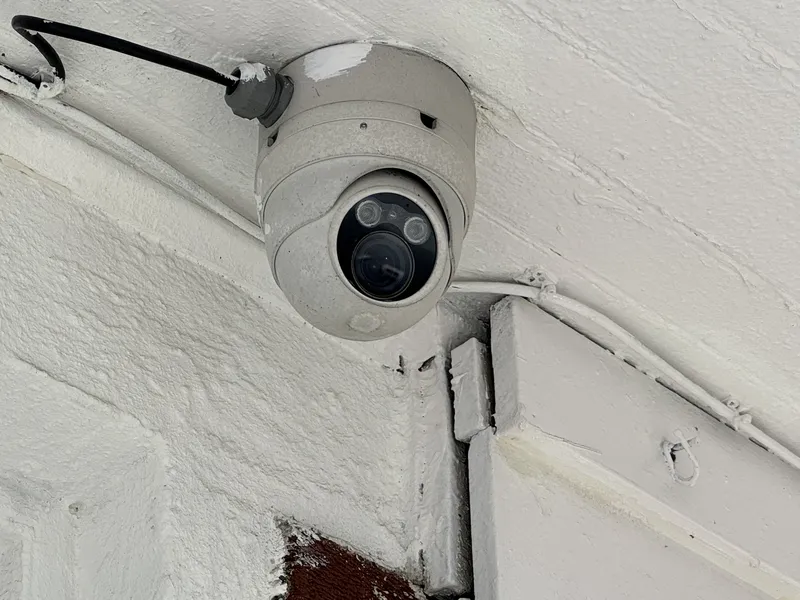
Where the money goes
Every camera system, from a single doorbell camera to a 100-camera building, has the same five parts. On consumer systems some of them are hidden inside the camera or replaced by a monthly cloud fee, but they are still there.
| Part | What it does | Typical price range |
|---|---|---|
| Cameras | Capture video. Resolution, low-light performance, durability and analytics drive the price. | About $45 to $200 for consumer Wi-Fi cameras, $100 to $600 for wired business cameras, $1,000 to $1,900 for enterprise cameras |
| Power and network (switch) | Sends power and data to each camera over one Ethernet cable, a method called Power over Ethernet (PoE). | About $109 to $999 depending on port count and power budget |
| Recorder | Records the video and lets you view and manage it remotely. Usually a network video recorder (NVR), a digital video recorder (DVR) or a cloud service. | About $190 to $800 for small-business NVRs, about $2,000 and up for larger ones; cloud plans are a recurring fee |
| Storage (hard drives) | Holds the recorded footage. How many days you keep depends on drive size. | About $40 to $55 per terabyte for surveillance drives |
| Cabling and labor | Runs a cable to each camera, mounts it, aims it and configures the system. | About $150 to $300 per cable run for commercial work, before mounting and setup |
The last row is the one most people underestimate. A pricing benchmark from Unió Digital (opens in a new tab) puts a commercial Category 6 (Cat6) network cable run at roughly $150 to $300 each, and notes that the route the cable has to take (open ceiling, existing conduit, or fishing through finished walls) is the biggest factor. In older New York buildings with plaster walls and no drop ceilings, the cable route often costs more than the camera at the end of it.
Cameras, from cheapest to most expensive
Cameras fall into four broad tiers. The prices below are list prices from the manufacturer or a major reseller on October 12, 2026, and change often, so treat them as ranges rather than quotes.
| Tier | Examples and price | Typical features | Best fit |
|---|---|---|---|
| Consumer Wi-Fi and battery | Wyze Cam v4 (opens in a new tab), $44.98. Ring Outdoor Cam (opens in a new tab) line, about $60 to $200. Reolink Argus 4 Pro (opens in a new tab) (battery, solar option), $194.99. Cloud plans extra: Ring (opens in a new tab) charges $49.99 to $199.99 a year. | 2K to 4K, Wi-Fi, app viewing, motion alerts, recording to cloud or a memory card. | A home, a small apartment, or a temporary spot where running a cable isn't possible. |
| Prosumer PoE | Reolink RLC-810A (opens in a new tab) (4K), $99.99. Reolink RLC-811A (opens in a new tab) (4K, 5× zoom), $139.99. UniFi G5 Bullet (opens in a new tab) (2K), $129; UniFi G6 Bullet (4K), $199. | 4 megapixels (4MP) to 4K, wired PoE, infrared night vision, person and vehicle detection, records to an NVR. | Small shops, small offices and small residential buildings. |
| Business-grade with on-camera artificial intelligence (AI) | Uniview (opens in a new tab) (UNV) Easystar 4MP turret, bullet and dome cameras, about $229 to $319; Uniview 4K turret (IPC3618SR3), $469; Uniview Tri-Guard 4K turret, $579. UniFi G6 Pro (opens in a new tab) (4K), $479 to $499. UniFi AI Pro, $499. UniFi AI LPR (reads license plates), $499. | Better sensors and lenses, stronger housings, smarter search (people, vehicles, plates, faces), central management of many sites. | Multifamily buildings, multi-location businesses, parking areas. |
| Enterprise | Axis P3268-LVE (opens in a new tab) (4K dome, IK10 impact rating), about $1,000 to $1,200 at US resellers such as CDW-G (opens in a new tab). Uniview Prime I (opens in a new tab) 4K cameras with motorized zoom, about $1,019. Verkada cloud-managed cameras, about $900 to $1,900 each, plus a license of about $1,099 per camera for five years, roughly $220 a year (Coram estimate (opens in a new tab)). | Top low-light performance, vandal-rated housings, long warranties, open standards, integration with professional video management software. | Schools, hospitals, large commercial buildings, sites with compliance or insurance requirements. |
Here is what actually changes as the price goes up.
Resolution
Resolution is the number on the box, but it is not the whole story. A 4K camera (8 megapixels) captures four times the pixels of a 1080p camera, so it can cover a wider area while keeping enough detail to recognize a face or read a plate. It also produces more data, which means more storage and more network bandwidth (see the storage section below). A cheap 4K camera with a small sensor can look worse at night than a good 4MP camera, because each pixel collects less light. Ask what the camera needs to show (a face at the door, a plate at the gate, or just whether someone entered) and size the resolution and lens to that.
Night vision
Most cameras switch to black-and-white infrared at night. The infrared range is part of the spec: Reolink rates the RLC-810A at 30 meters (100 feet) with 18 infrared lights (Reolink (opens in a new tab)). Cheaper "color night vision" usually means a built-in spotlight that turns on, which is useful as a deterrent but lights up the scene for everyone. Higher-end cameras such as the Axis P3268-LVE combine a larger sensor with low-light processing that Axis calls Lightfinder, which keeps color in dim light without a spotlight (Axis (opens in a new tab)).
Face recognition and analytics
Most cameras sold today detect people and vehicles, which cuts down false alerts from trees, rain and headlights. Face detection (noting that a face is in the frame) is common. Face recognition (matching a face to a known person) is a different feature, offered on some consumer cameras and some business platforms, and it brings legal duties. Under New York City's biometric identifier law, retail stores, food and drink establishments and places of entertainment that collect biometric identifiers such as face geometry from customers must post a notice at every customer entrance, and may not sell or profit from that data (Local Law 3 of 2021 (opens in a new tab); Department of Consumer and Worker Protection rule (opens in a new tab)). Talk to your attorney before turning face recognition on in a business or residential building.
Durability
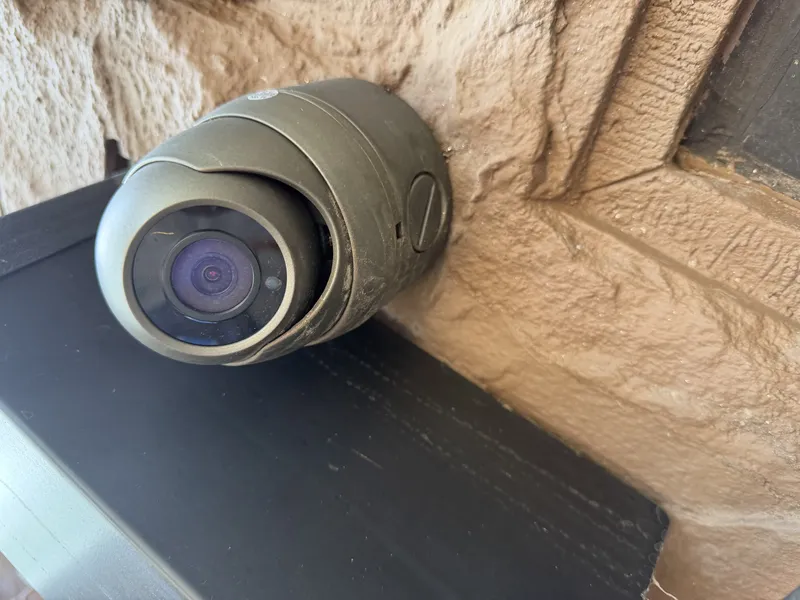
Two ratings matter outdoors. The ingress protection (IP) rating describes resistance to dust and water: IP66 and IP67 are common on outdoor cameras, and both the Reolink RLC-810A (IP67) and the Axis P3268-LVE (IP66) carry one (Reolink (opens in a new tab), Axis (opens in a new tab)). The IK rating is a standard scale for impact resistance; IK10 is the top common rating and is what you want for a dome camera within reach of the ground. Consumer cameras usually have a weather rating but no impact rating. Business cameras also tend to come with longer warranties and longer firmware support, which matters because a camera that stops getting security updates becomes a network risk.
Connectivity and power
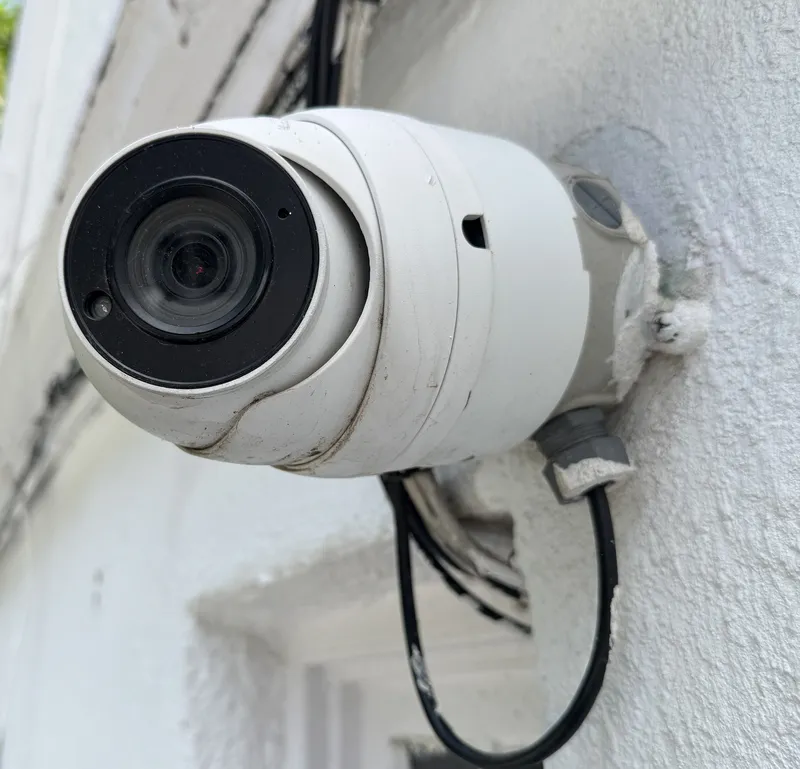
- Wi-Fi and battery: easy to install, but they depend on a Wi-Fi signal that walls, distance and interference can weaken. Battery cameras usually record short clips when they detect motion rather than recording continuously, to save the battery, and the battery has to be charged or swapped.
- Wi-Fi with a power cable: no battery to manage, but still dependent on Wi-Fi.
- Wired PoE: one cable carries both power and video. It is the most reliable option and the standard for commercial work, but it means a cable run to every camera.
- Analog coax: older systems use coaxial cable to a DVR. Modern analog high-definition (HD) cameras can reuse that cable, which is the main reason to choose them today.
Wireless cameras can also be knocked offline on purpose. In 2024 the Los Angeles Police Department warned residents about burglars using Wi-Fi jammers to disable wireless cameras and alarms, and recommended hard-wired systems (KTLA (opens in a new tab)). Jammers are illegal to use in the US, but that doesn't stop a burglar.
Why you need a PoE switch
Wired network cameras need power and a network connection. A PoE switch provides both: each camera plugs into one port with one Ethernet cable, and the switch powers it. Some NVRs have PoE ports built in, which is fine for small systems; larger systems use a separate switch.
Two limits drive the design. First, an Ethernet run can be up to 100 meters (328 feet) from the switch, so a large building may need switches in more than one closet. Second, every switch has a total power budget. The PoE standards set by the Institute of Electrical and Electronics Engineers (IEEE) supply up to 15.4 watts per port (802.3af), 30 watts (802.3at, "PoE+") or 60 to 90 watts (802.3bt) (Black Box (opens in a new tab)). Cameras with infrared, heaters or motorized zoom draw more power, especially at night and in winter.
| Switch | Ports | Total PoE power budget | Price |
|---|---|---|---|
| UniFi USW-Lite-8-PoE | 8 | 52 watts | $109 |
| UniFi USW-16-POE | 16 | 42 watts | $299 |
| UniFi USW-Pro-Max-16-PoE | 16 | 180 watts | $399 |
| UniFi USW-24-POE | 24 | 95 watts | $379 |
| UniFi USW-Pro-24-POE | 24 | 400 watts | $699 |
| UniFi USW-Pro-HD-24-PoE | 24 (+4 fiber uplink ports) | 600 watts | $999 |
The table shows a common trap. A 16-port switch with a 42-watt budget (Ubiquiti (opens in a new tab)) has plenty of ports, but it can only power about three cameras that each draw 13 watts. A system built on the cheapest switch that "has enough ports" can have cameras that reboot at night, when the infrared turns on. Check the power budget against the cameras' maximum draw, with headroom, before buying.
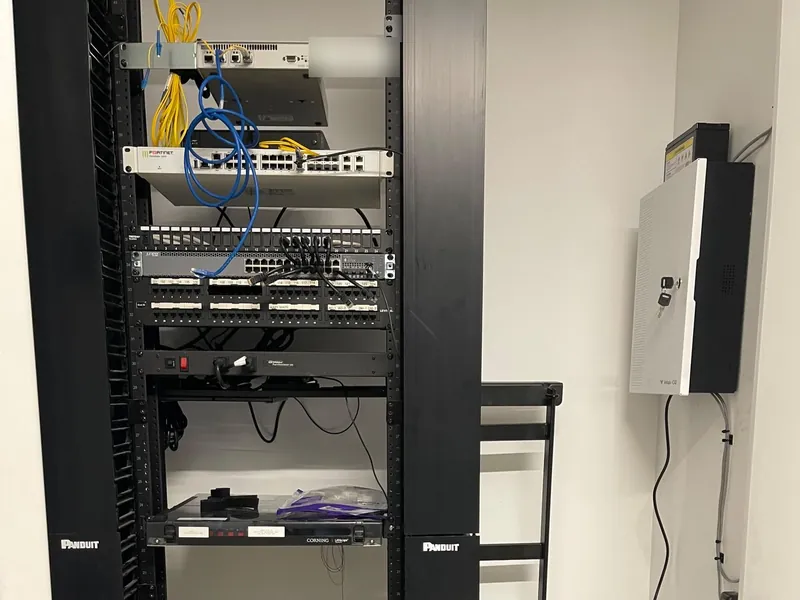
DVRs, NVRs and cloud recording: what's the difference?
The recorder is where the video is stored and where you watch it, live or later. There are three kinds.
| DVR (digital video recorder) | NVR (network video recorder) | Cloud or camera-based recording | |
|---|---|---|---|
| Works with | Analog cameras over coaxial cable | Network cameras over Ethernet | Cloud cameras; some store video on the camera itself |
| Where video is stored | Hard drives in the DVR | Hard drives in the NVR | Provider's servers, the camera's own storage, or both |
| Cabling | Coax for video plus power, or one combined cable | One Ethernet cable per camera (PoE) | Ethernet (PoE) or Wi-Fi |
| Remote viewing | Usually through the maker's app | Through the maker's app or software | Through a web portal and app |
| Ongoing fees | Usually none | Usually none | Per-camera subscription or license |
| Best fit | Upgrading an existing coax system without new cable | Most new installations | Many sites managed centrally, or owners who prefer a subscription to buying hardware |
What you pay for in a recorder
The price of an NVR mostly tracks how many cameras it supports and how many hard drives it holds.
- Reolink RLN8-410 (opens in a new tab) (8 channels, built-in PoE): $189.99.
- Reolink RLN16-410 (opens in a new tab) (16 PoE ports, two drive bays, up to 8 terabytes (TB) per drive): $289.99.
- Uniview 8-channel NVRs (opens in a new tab) with built-in PoE (NVR301 and NVR302 series, one or two drive bays): about $443 to $778 at US resellers, without drives.
- UniFi UNVR (opens in a new tab) (four drive bays, up to 18 4K cameras): $299. UNVR Pro (seven bays, up to 24 4K cameras): $499. ENVR (16 bays, up to 70 4K cameras): $1,999.
DVRs are priced similarly to NVRs, and the analog cameras that go with them cost less: Uniview's 5-megapixel analog HD turret cameras sell for about $139 to $159 (Nelly's Security (opens in a new tab)). Brands such as Lorex (opens in a new tab) also sell DVR kits with cameras for buildings that already have coax runs.
Remote viewing versus remote management
Almost every recorder sold today lets you watch cameras from your phone. That is remote viewing. Remote management is what separates business systems from consumer ones: adding and removing users with different permissions, getting an alert when a camera or drive goes offline, updating firmware across all sites, and exporting footage with a clear record of who did it. For a property manager with several buildings, management features are often worth more than any camera spec, because the most common CCTV failure is finding out a camera was offline only after something happened.
Cloud systems add the subscription, but they also take over much of that management work. Whether that is worth a yearly fee per camera depends on how many sites you have and who maintains the system.
Hard drives: why high-quality cameras need so much storage
The number of days of footage your system keeps depends on four things: resolution, frame rate, video compression (most current cameras use a standard called H.265), and whether cameras record all the time or only on motion. Higher resolution needs more data per second, called the bitrate and measured in megabits per second (Mbps). It adds up quickly: a day of video from one camera is measured in gigabytes (GB), and a month from several cameras in terabytes (TB), where 1 TB is 1,000 GB.
| Resolution | Typical bitrate | Per camera per day | 8 cameras for 30 days |
|---|---|---|---|
| 1080p (2MP) | About 2 Mbps | About 22 GB | About 5.2 TB |
| 4MP (2K) | About 4 Mbps | About 43 GB | About 10.4 TB |
| 4K (8MP) | About 6 Mbps | About 65 GB | About 15.6 TB |
| 4K (8MP), higher quality | About 8 Mbps | About 86 GB | About 20.7 TB |
The math is bitrate × 86,400 seconds a day ÷ 8 bits per byte. The bitrates are typical H.265 values, consistent with calculators such as IP Security Depot's (opens in a new tab); your installer can measure the real bitrate after setup. Motion-only recording can cut storage substantially in quiet areas, but a busy lobby or street-facing camera sees motion most of the day, so plan on continuous recording for those.
Moving eight cameras from 1080p to 4K roughly triples the storage needed for the same number of days. That is the main reason a quote for 4K cameras comes with several multi-terabyte drives.
What drives cost
Surveillance drives are built and rated for writing video around the clock. Current prices tracked from major US retailers:
- WD Purple 8 TB: about $425 (about $53 per TB). The 6 TB is about $267 and the 12 TB about $675 (MaxMyBuild price tracker (opens in a new tab), data through October 11, 2026).
- Seagate SkyHawk AI 16 TB: about $680 (about $42.50 per TB), rated for 550 TB of writes per year with a 5-year warranty (MaxMyBuild (opens in a new tab)).
Drive prices move often, so check before budgeting. For the 4K example above (about 16 TB for 30 days), that is roughly $680 to $850 in drives. If you want the system to keep recording when one drive fails, the recorder needs a redundant array of independent disks (RAID), which means buying extra capacity. In the common RAID 5 setup, one drive's worth of space is used to rebuild the data if any single drive fails: three 8 TB drives in RAID 5 give about 16 TB usable, for about $1,275.
What a complete system costs: five examples
Here is how the parts add up for eight outdoor or entrance cameras, using the list prices above. These are hardware costs only and are not quotes.
| Approach | What's included | Hardware cost | What you give up |
|---|---|---|---|
| Consumer Wi-Fi | 8 Wi-Fi cameras (Wyze to Ring Outdoor Cam Pro) plus a cloud plan | About $360 to $1,600, plus about $100 to $200 a year for a Ring (opens in a new tab) plan covering all the cameras | Depends on Wi-Fi; usually clip-based recording; limited management for multiple users or buildings. |
| Prosumer kit | Reolink RLK16-800B8 (opens in a new tab): 8 4K PoE cameras, 16-channel NVR, 4 TB drive | $1,089.99 | The included 4 TB holds roughly a week of continuous 4K from all eight cameras; basic management. |
| Business-grade 4MP | 8 Uniview Easystar (opens in a new tab) 4MP cameras (about $1,830 to $2,550), Uniview NVR302-08S2-P8 (opens in a new tab) 8-channel recorder with built-in PoE (about $626), two 6 TB drives (about $534) | About $3,000 to $3,700 | About 12 TB, roughly 30 days continuous at about 4 Mbps per camera; no drive redundancy, so a failed drive loses its footage. |
| Business-grade 4K | 8 UniFi G6 Bullet 4K ($1,592), UniFi UNVR recorder ($299), three 8 TB drives (about $1,275), 16-port PoE switch with a 180-watt power budget ($399) | About $3,565 | About 16 TB usable with one drive of redundancy (RAID 5), roughly 30 days continuous at about 6 Mbps per camera. |
| Enterprise | 8 Axis P3268-LVE cameras (about $8,000 to $9,600), plus video management software licenses, a server or NVR and drives | Often $10,000 or more | Mainly cost. In return: best low-light image, vandal-rated housings, long support life. |
Add cabling and labor on top. At $150 to $300 per run (Unió Digital (opens in a new tab)), eight camera runs come to about $1,200 to $2,400 before mounting, aiming, configuring and training, and older buildings with hard cable routes cost more. For most commercial projects, labor and cabling are a large share of the total, which is why two quotes using the same cameras can differ widely.
The case for an integrated system: cameras and access control together
Many buildings buy cameras from one company and access control (fobs, card readers, video intercoms) from another, at different times. Planning them together can lower the total cost and makes both systems more useful.
What can be shared
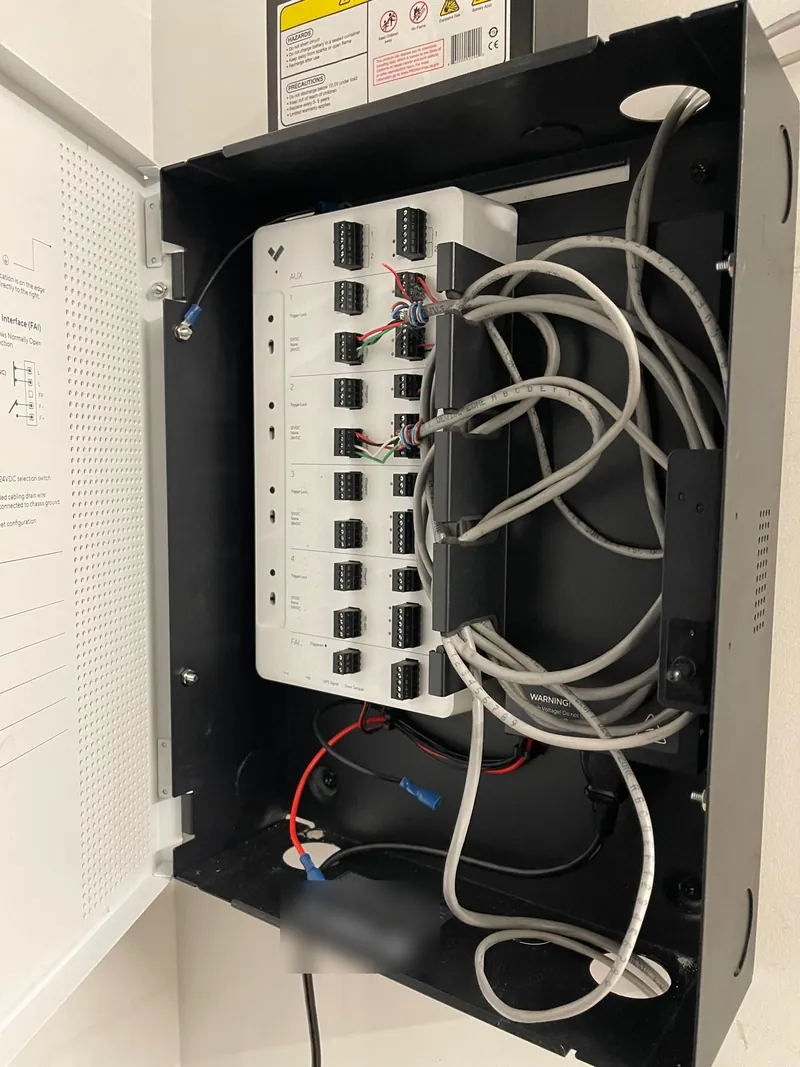
- Network equipment: one PoE switch can power cameras, card readers and video intercoms, provided its port count and power budget are sized for all of them. One larger switch usually costs less than two smaller ones with the same total capacity.
- The rack, battery backup and closet: one equipment location, one uninterruptible power supply (UPS) sized for everything, one firewall and internet connection for remote access.
- Cable pathways: conduit, sleeves through walls and floors, and ceiling openings can carry cables for cameras and doors together. Opening a hallway ceiling once instead of twice is a real saving in an occupied building.
- Labor and setup: one site survey, one crew mobilization, one round of configuration and one training session.
- Software: on a single platform, a door event and the video of it show up together. For example, a "door forced open" alert can open the clip from the camera over that door, and searching for when a fob was used brings up who actually walked in.
What is not shared
Each camera, reader and intercom still needs its own cable back to the switch; one Ethernet cable doesn't serve two devices on a standard installation. Doors also need locking hardware, lock power and request-to-exit devices that cameras don't, and those have to meet egress rules (see our guide to NYC fire code requirements for entrances). The savings come from shared infrastructure, pathways and labor, not from fewer cables.
Some manufacturers sell cameras and access control on one platform. Ubiquiti's single-door UniFi Access G3 Starter Kit (opens in a new tab) lists at $299 and runs on the same consoles and switches as its cameras. Verkada, Avigilon and others offer similar combined platforms. A single platform is simpler to manage, but it ties both systems to one vendor's pricing, licensing and product roadmap, so weigh that before committing.
Questions to ask before you sign a CCTV quote
Use these to compare quotes on the same terms:
- How many days of footage will the system keep, at what resolution, and is that continuous or motion-only recording?
- How many hard drives, of what size, and what happens to recording if one fails?
- What is the PoE switch's total power budget, and how much of it will the cameras use?
- Who manufactures the cameras and recorder, and do they meet any NDAA or insurance requirements that apply to you?
- Are there subscription or license fees, per camera, per year? What happens if you stop paying?
- Who holds the administrator login, and will you get it in writing at handover?
- How will you be alerted if a camera or drive goes offline?
- What is the warranty on hardware and on labor, and how long will the cameras receive firmware updates?
- Can the switch, rack and pathways support access control or intercoms later?
How EntryPoint Security can help
EntryPoint Security designs and installs CCTV systems and access control for commercial properties, multifamily buildings and businesses across New York City, Northern New Jersey and Westchester. We:
- Walk the property and plan coverage around the views that matter, rather than a camera count.
- Size cameras, switches and storage to the number of days of footage you actually need.
- Itemize cameras, recording, cabling and labor separately, so you can see what you are paying for.
- Plan cameras, access control and video intercoms on shared infrastructure where it saves money.
- Take over existing systems that half-work or that nobody can log into.
Prices in this article are list prices or estimates from the linked pages, checked October 12, 2026, to show how costs add up. Your quote depends on the building, the cable routes and the brands that fit the job, and we itemize it so you can compare.
Sources
- Wyze: Wyze Cam v4 (opens in a new tab)
- Ring: Outdoor Cam (opens in a new tab)
- Ring: subscription plans (opens in a new tab)
- Reolink: RLC-810A (opens in a new tab)
- Reolink: RLC-811A (opens in a new tab)
- Reolink: Argus 4 Pro (opens in a new tab)
- Reolink: RLN8-410 NVR (opens in a new tab)
- Reolink: RLN16-410 NVR (opens in a new tab)
- Reolink: RLK16-800B8 camera system (opens in a new tab)
- Ubiquiti store: cameras and NVRs (opens in a new tab)
- Ubiquiti store: switches (opens in a new tab)
- Ubiquiti store: UniFi Access G3 Starter Kit (opens in a new tab)
- Axis: P3268-LVE dome camera (opens in a new tab)
- CDW-G: Axis P3268-LVE listing (opens in a new tab)
- Coram: Verkada pricing guide (third-party estimate) (opens in a new tab)
- Nelly's Security: Uniview cameras (opens in a new tab)
- Ally Security: Uniview 8-channel NVRs (opens in a new tab)
- Lorex: 4K 8-channel wired DVR system (opens in a new tab)
- Black Box: PoE standards explained (opens in a new tab)
- IP Security Depot: video retention and storage calculator (opens in a new tab)
- MaxMyBuild: WD Purple 8 TB price tracker (opens in a new tab)
- MaxMyBuild: Seagate SkyHawk AI 16 TB price tracker (opens in a new tab)
- Unió Digital: structured cabling cost per drop (opens in a new tab)
- Security Sales & Integration: FCC bans new Hikvision and Dahua equipment authorizations (2022) (opens in a new tab)
- University of Maryland: Section 889 of the 2019 NDAA (opens in a new tab)
- NYC Local Law 3 of 2021: biometric identifier information (opens in a new tab)
- NYC DCWP rule: biometric identifier information (opens in a new tab)
- KTLA: LAPD warns of burglars using Wi-Fi jammers (2024) (opens in a new tab)
This article is provided for general educational purposes and does not constitute legal advice, professional engineering advice, or an official determination of code compliance. Requirements vary based on building occupancy, construction history, approved use, and individual door configurations. Building owners should consult qualified professionals and applicable authorities before undertaking regulated work.